PDF Remediation & Accessibility: A Complete Guide for Organizations | Webarch

In today’s digitally driven world, PDFs remain one of the most widely shared document formats, from annual reports and eBooks to policies, forms, and educational materials. Yet despite their popularity, a large percentage of PDFs are still inaccessible to people with disabilities.
For organizations under increasing accessibility and compliance pressure, including publishers, public institutions, and educational organizations, this is no longer just a technical concern. It is a legal, operational, and ethical issue that directly affects how information is accessed and consumed.
We often see this with organizations operating at scale. Content is created quickly, distributed widely, and archived for years, while accessibility is addressed late, inconsistently, or only when audits arise. As a result, teams are left reacting to compliance demands instead of managing accessibility proactively.
In this guide, we explain what PDF remediation actually means, why accessible PDFs matter, and how the remediation process works step by step. We also explore common challenges organizations face at scale, what successful organizations do differently, and how accessibility can be managed as an ongoing process rather than a one time fix.
What Is PDF Accessibility?
PDF accessibility means designing and structuring PDF documents so they can be read, navigated, and understood by everyone, including people who use assistive technologies such as screen readers, keyboard navigation, or voice input.
An accessible PDF is not just about how the document looks. It is about the underlying structure that communicates meaning and order, including:
- Headings and content hierarchy
- Alternative text for images
- Logical reading order
- Proper tagging and metadata
Without this structure, assistive technologies cannot correctly interpret content. We frequently see PDFs that appear visually well designed but are effectively unusable for screen reader users, especially in policy documents, reports, and long form publications.
What Is PDF Remediation?
PDF remediation is the process of fixing an existing PDF so that it meets recognized accessibility standards and can be used by people with disabilities.
It goes far beyond running an automated checker or clicking an auto tag button. True remediation involves restructuring the document so it works correctly for real users.
In practice, remediation includes:
- Diagnosing structural and semantic issues
- Adding or correcting tags
- Fixing reading order
- Adding meaningful image descriptions
- Testing with real assistive technologies
In large scale remediation projects, such as those involving Company Y with extensive legacy archives, organizations quickly realize that remediation must be handled as a structured process. By standardizing how documents are assessed, corrected, and validated, these organizations are able to improve consistency and reduce repeat accessibility issues over time.
Why Many PDFs Are Inaccessible
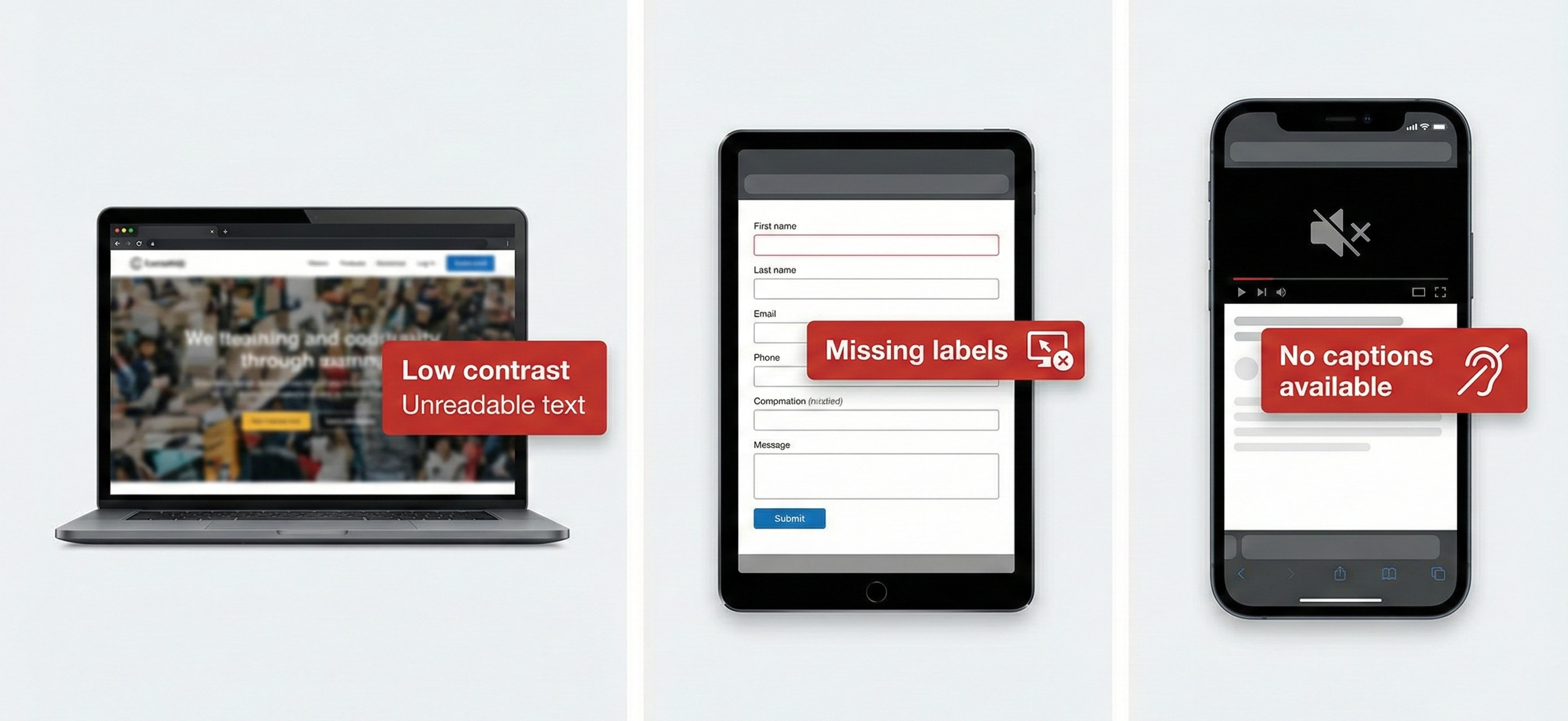
Most PDFs are created without accessibility in mind. This leads to common barriers such as:
- Missing or incorrect tags
- Poor or illogical reading order
- Images without alternative text
- Tables that are unreadable by screen readers
- Missing metadata and language definitions
This is especially common in public sector organizations, educational institutions, and large publishers where content is produced by multiple teams using different tools and templates.
For example, Company X, a public sector organization managing years of archived policy documents, discovered that most of their PDFs had been created visually but lacked the structural information required for assistive technologies. While the documents looked compliant at a glance, they failed user testing and formal accessibility reviews. By introducing a structured remediation process and validating documents against PDF/UA requirements, the organization was able to bring its archive into compliance and establish a repeatable approach for future documents.
For a deeper look at these issues, see
What Makes a PDF Inaccessible? Common Issues and Examples
Accessibility Standards That Apply to PDFs
Accessible PDFs are measured against international and regional standards.
For PDFs, PDF/UA is the primary accessibility standard. WCAG, Section 508, and ADA provide broader accessibility requirements that PDFs must also support, but PDF/UA defines how accessibility is implemented at the document level.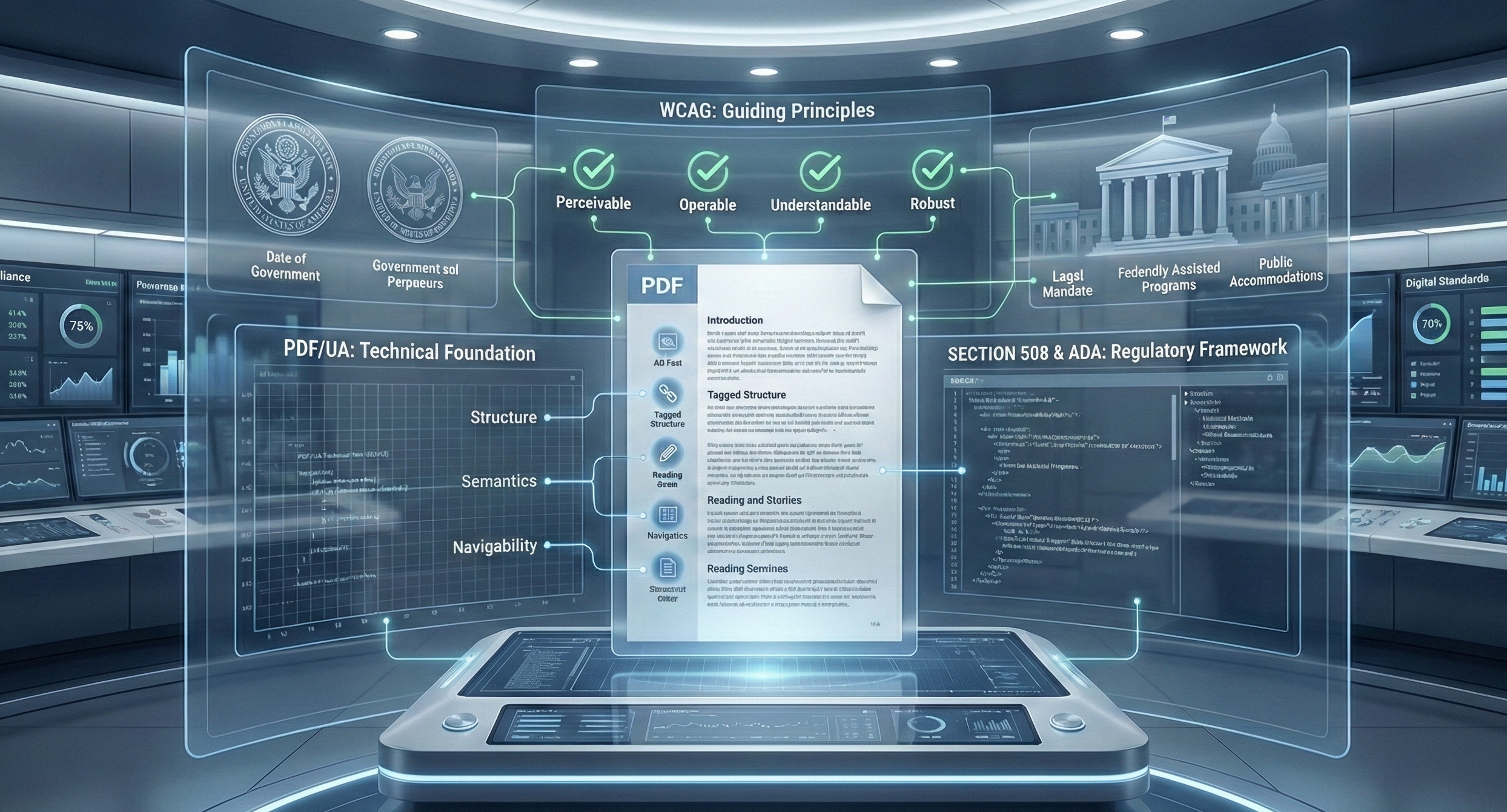
1. WCAG (Web Content Accessibility Guidelines)
WCAG provides principles and success criteria for accessible digital content. While originally created for websites, its principles are widely applied to documents, including PDFs.
2. PDF/UA (PDF Universal Accessibility)
PDF/UA, ISO 14289, is the standard specifically designed for PDF accessibility. It defines how PDFs should be structured so assistive technologies can reliably interpret content.
3. Section 508 and ADA
In the United States, Section 508 and ADA require accessible digital documents for public sector organizations and many private entities.
Organizations that clearly define which standards apply to their documents tend to move faster and avoid confusion during audits, especially when remediation is handled at scale.
How PDF Remediation Works Step by Step
While every document is different, most remediation workflows follow a similar structure.
1. Audit and Assessment
Documents are analyzed to identify accessibility barriers, complexity, and remediation effort.
2. Tagging and Structure
Semantic tags are added or corrected for headings, paragraphs, lists, tables, and other elements.
3. Reading Order Fixes
The content flow is adjusted so assistive technologies present information logically.
4. Alternative Text
Meaningful descriptions are added for images and non text elements.
5. Forms and Interactive Elements
Form fields are labeled and made keyboard accessible.
6. Testing and Validation
Documents are tested using accessibility tools and real assistive technologies.
Organizations that formalize this workflow are able to remediate documents more consistently and integrate accessibility into their broader publishing processes.
Manual vs Automated Remediation: What Works at Scale?
Automation can help identify basic issues, but it cannot fully understand context, meaning, or document intent, especially in complex layouts.
In practice, successful organizations adopt a hybrid approach:
- Automated tools for initial analysis and consistency
- Manual expertise for structure, reading order, and quality assurance
For example, Publisher Z initially relied on automated remediation tools to address accessibility gaps. Over time, they found that combining automation with expert validation significantly reduced remediation errors and improved user experience across their document library.
For a detailed comparison, see
Manual vs Automated PDF Remediation: What Actually Works at Scale
Challenges Organizations Face at Scale
Scaling PDF remediation introduces challenges such as:
- Large document volumes
- Legacy archives created over many years
- Limited internal accessibility expertise
- Inconsistent source files and templates
- Ongoing content creation after remediation

In large scale remediation programs, such as those undertaken by Organization Y, the challenge is rarely a single document. It is managing thousands of PDFs created across departments while meeting fixed compliance deadlines. Organizations that succeed typically prioritize documents strategically and adopt repeatable remediation workflows.
Beyond Compliance: Maintaining Accessibility Over Time
One of the most common mistakes organizations make is treating accessibility as a one time project.
In reality, accessibility requires ongoing ownership, governance, and process. Organizations that take a long term approach often establish:
- Clear responsibility for accessibility
- Defined workflows for new and updated content
- Regular audits and quality checks
- Scalable remediation processes
For example, Company Z embedded remediation directly into their publishing workflow, ensuring new PDFs were assessed and corrected before distribution. This reduced rework, lowered compliance risk, and allowed accessibility teams to focus on governance instead of constant remediation.
When to Partner With Experts
Partnering with a remediation specialist makes sense when:
- Compliance timelines are tight
- Document complexity is high
- Internal teams are stretched
- Accessibility must be maintained long term
Organizations that work with experienced partners are better positioned to build sustainable accessibility practices rather than relying on ad hoc fixes.
For guidance, see
How to Choose the Right PDF Remediation Partner
How Webarch Helps Organizations Succeed
The organizations described throughout this guide share common challenges: large document libraries, evolving compliance requirements, and the need to maintain accessibility over time.
Webarch is designed to support exactly these scenarios. By combining automation with expert validation, Webarch enables organizations to remediate PDFs at scale while maintaining accuracy, compliance, and consistency.
With Webarch, organizations can:
- Remediate large document libraries efficiently
- Convert PDFs into structured formats such as EPUB, audio, and braille
- Integrate accessibility into ongoing publishing workflows
- Maintain compliance continuously, not just during audits
Learn more about our approach on the PDF and EPUB Accessibility Remediation page.
Conclusion
PDF remediation is no longer optional. Accessible documents are essential for compliance, usability, and inclusive communication.
For organizations dealing with inaccessible PDFs or recurring compliance pressure, success comes from moving beyond one time fixes toward scalable, process driven remediation strategies.
This guide provides a foundation for understanding that path forward and how organizations can approach PDF accessibility with confidence.